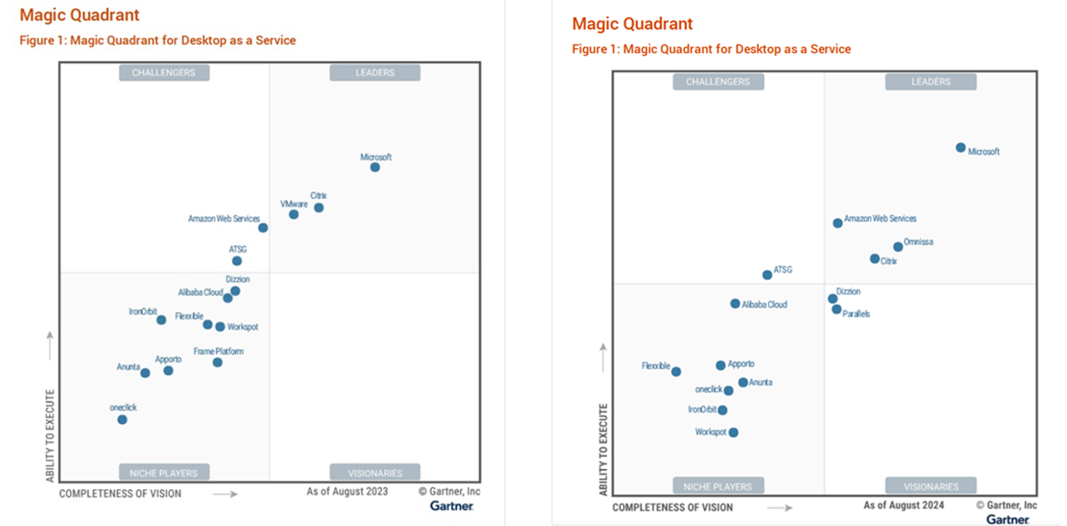
Windows 365 was growing at 120%+ a year and we consolidated all Virtual Desktop products into one organization. This expanded my scope and team to lead Windows 365 and Azure Virtual Desktop.
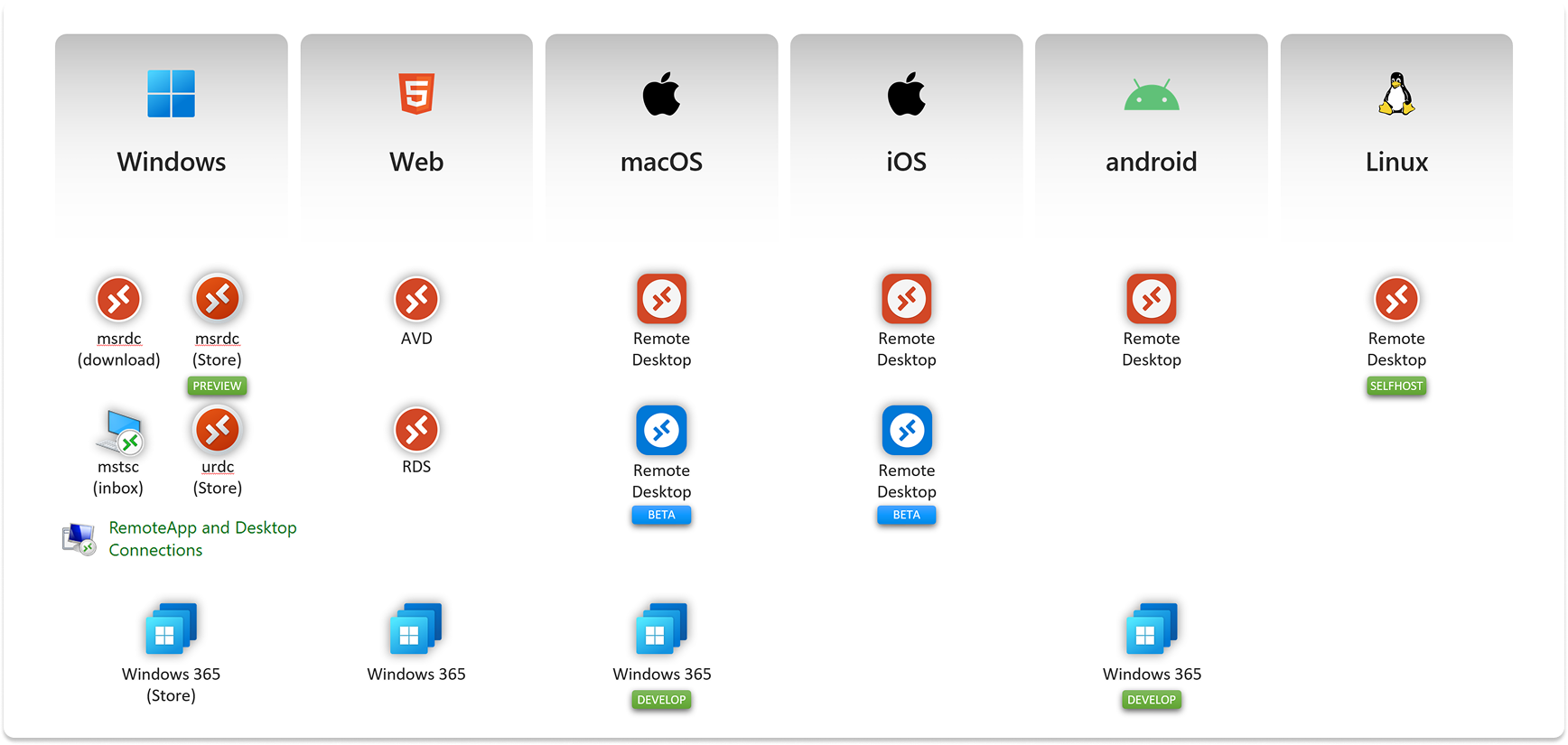
To scale, we needed to rethink how end users got to their remote resources. That meant consolidating 16 legacy client apps into one unified experience.
Design vision isn't just about what something looks like—it's about creating shared understanding that enables independent execution.
The Challenge
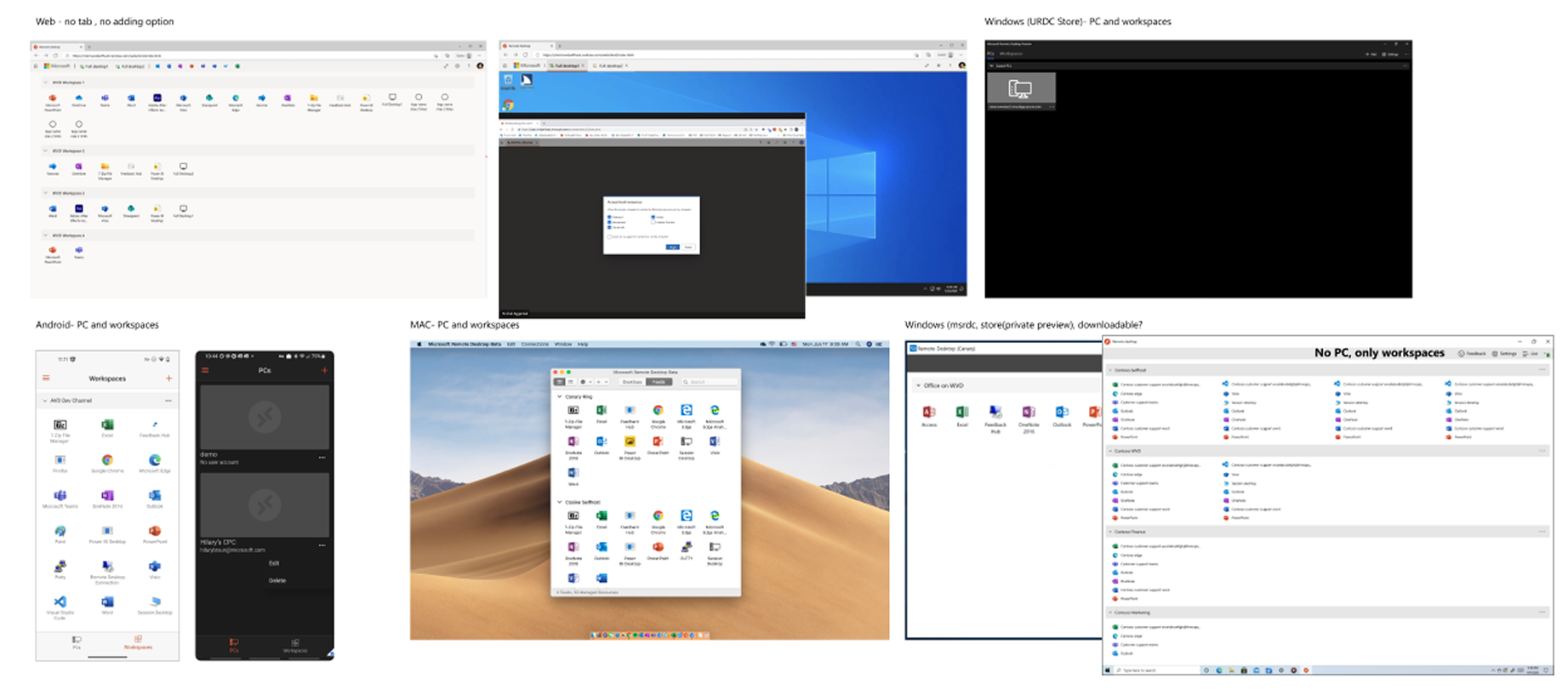
We inherited a fragmented landscape: 16 in-market client apps with different feature sets, no consistency, no design vision, and bad customer experiences. Customers had been using these different clients for years, and we needed to bring them along the journey.
The problem was clear:
- 3 services to simplify for end users and companies
- 16 legacy client apps to consolidate
- No unified design vision to guide product direction
- Customers confused about which client to use
My team needed to:
- Lead product direction through design vision
- Build deep customer understanding
- Design across all popular platforms
- Lead and grow multidisciplinary teams
Design Vision as Strategy
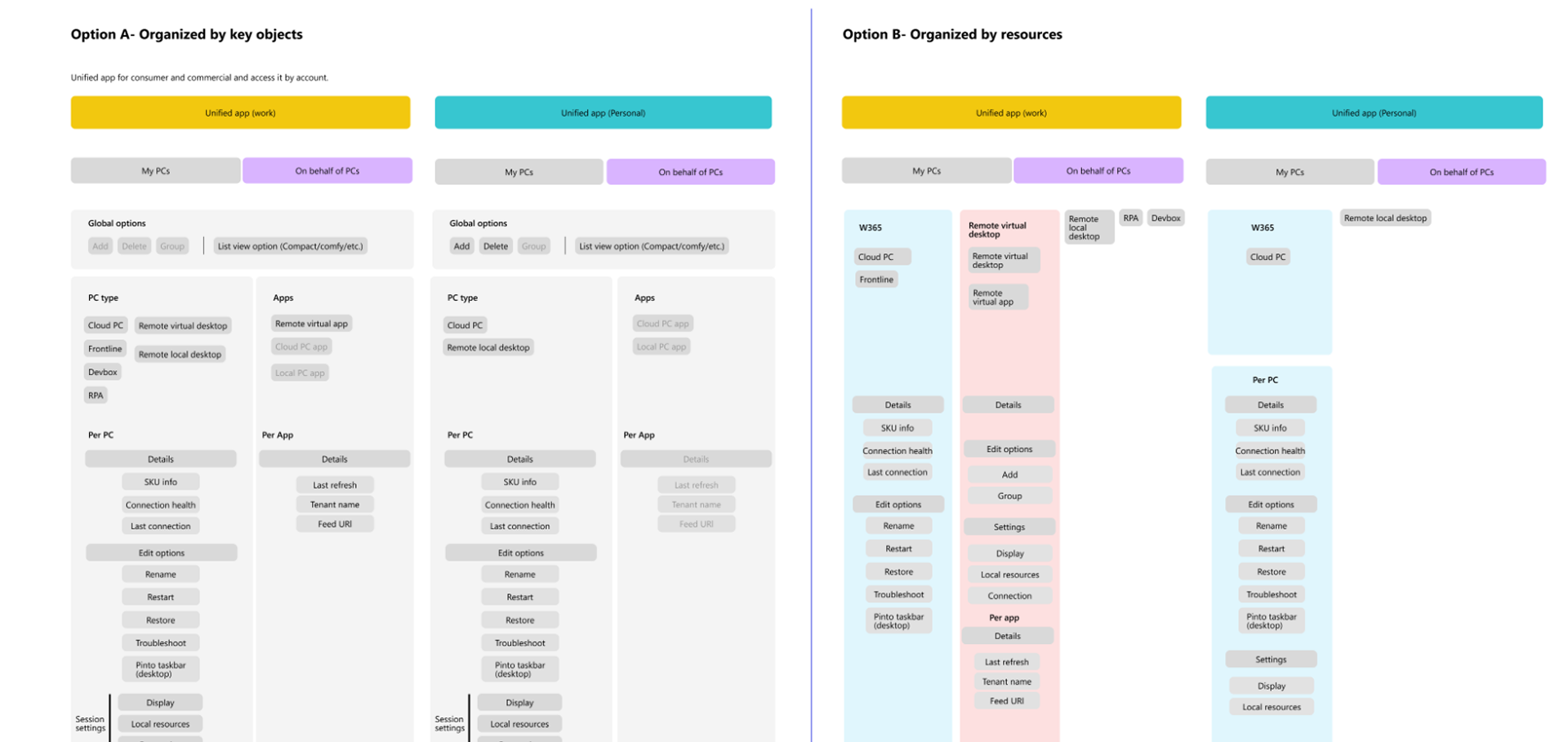
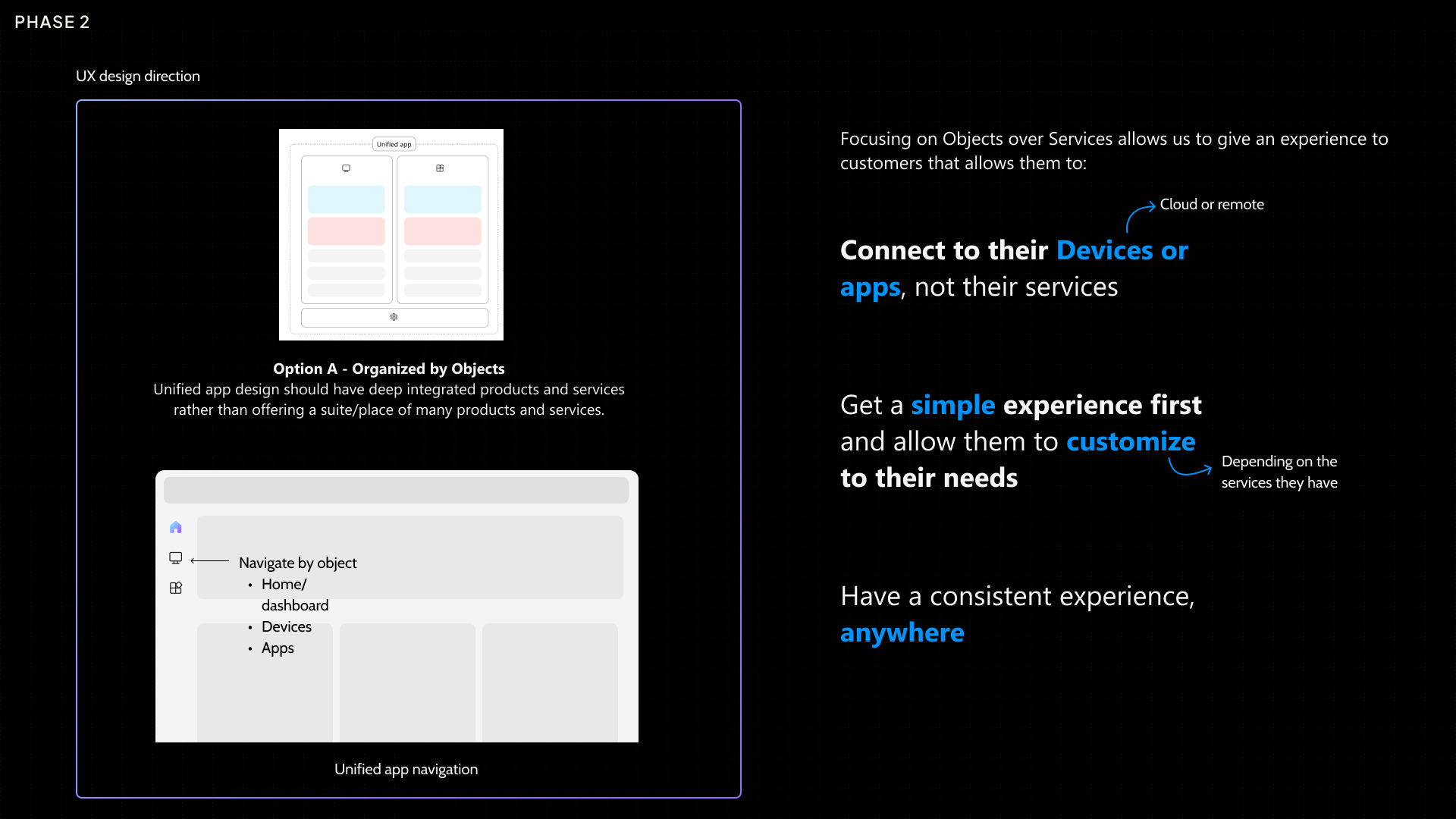
Before diving into execution, we needed alignment on the fundamental question: how should a unified app be organized? We explored two approaches and built prototypes to test them with users.
Option A — Organized by Objects
Option B — Organized by Service
User Research Validates Direction
Early usability studies gave us clear signal. We tested both approaches with users who had experience with Virtual Desktops—some using Azure Virtual Desktop, some using Remote Desktop Connection.
"It's what I would expect from Windows."
All participants mentioned they preferred Option A over the current experience. The feedback was consistent: "App is much cleaner, interactions are simpler." Users found it aligned with their workflow but simplified.
The insight: Focusing on Objects over Services allows customers to connect to their Devices or Apps, not their services. This gives them a simple experience first with the ability to customize to their needs—and have a consistent experience, anywhere.
Convincing Leadership
Having a design direction wasn't enough—we needed to convince executive leadership to invest in this new approach. This meant moving away from years of legacy experiences and committing engineering resources across multiple platforms.
I built out a detailed prototype to share the vision. But a prototype alone wouldn't be enough. I partnered closely with Product and Engineering to develop the pitch, aligning on technical feasibility, resource requirements, and go-to-market strategy.
Together, we presented a unified vision to our executive leadership. The combination of user research insights, a tangible prototype, and cross-functional alignment made the case compelling. Leadership gave us the green light to move forward with the new direction.
"This product direction would not have become reality if it weren't for your design vision and execution." — Product Partner
Cross-Platform Execution
With design direction approved, we had 6 months to ship across all major platforms. Each platform had its own design language, technical constraints, and user expectations.
I led my team to develop a design system that could flex across platforms while maintaining a unified visual identity. We established core patterns, components, and interaction models that would work natively on each platform while feeling unmistakably like Windows App.
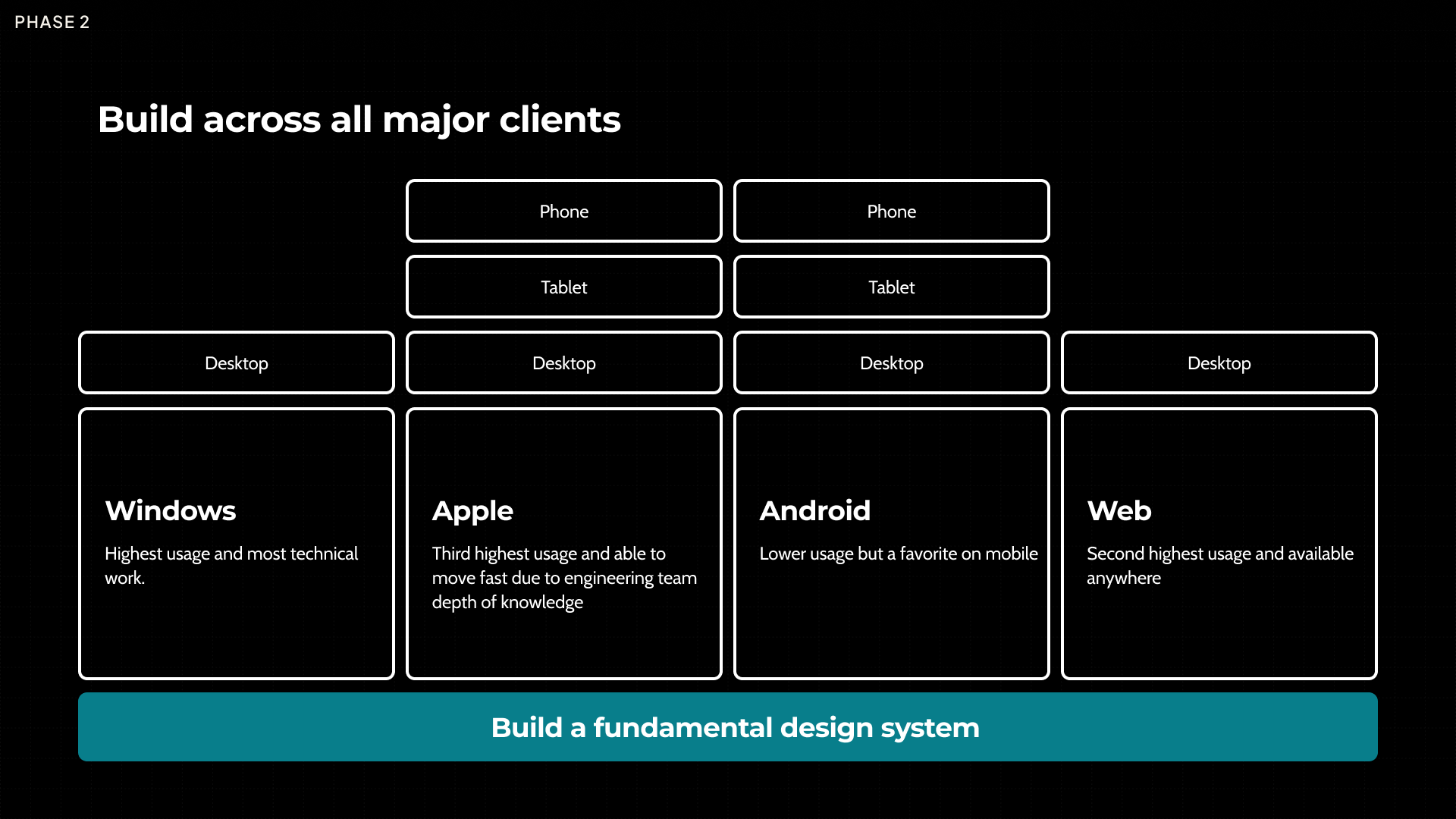
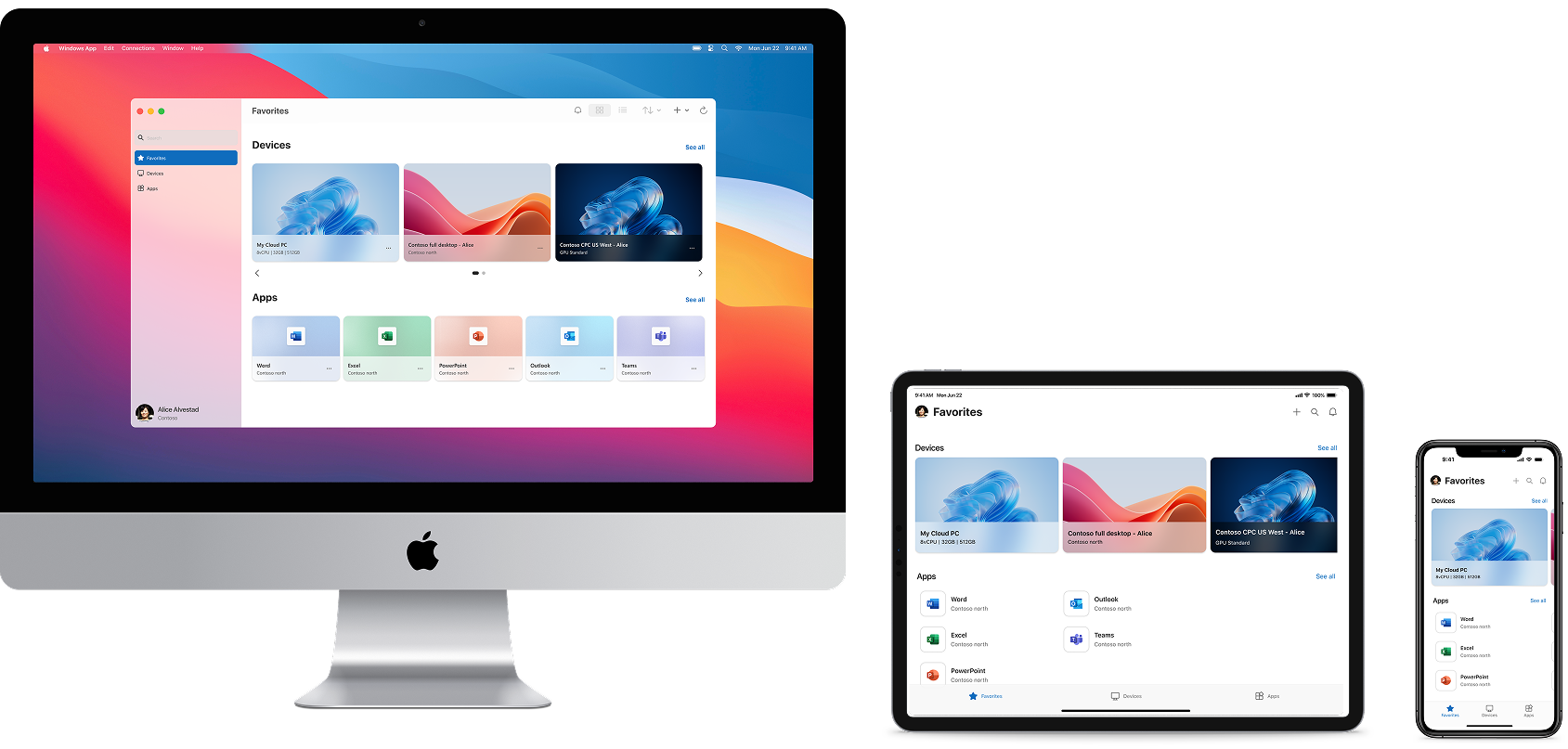
Windows — Primary Platform
Mac — Fast Mover
iOS & Android — Mobile Favorites
Web — Available Everywhere
Team Growth and Timeline
To execute at this scale, I grew my team to 8 designers and aligned them to each platform. We dove deep into each platform's design systems, ruthlessly prioritized to get to market, and built a fundamental design system that flexed across platforms.
This was fast for a large company like Microsoft. I attribute our speed to having a strong vision and point of view on the experience—and sitting day in and day out with our product partners with our hands on the metal. When you have clarity on where you're going, you can move decisively.
The Outcome
After some long nights and a lot of deep work with our product partners, Windows App was released at Ignite in September 2023. Customers—employees and IT admins alike—were excited about having a singular app they could deploy, removing the management headache we had introduced over 20 years of Remote Desktop Protocol client creation.
Adding Windows App refined our overall product sales pitch. With Engineering and Product working hand-in-hand, we could now say that we were modernizing not only the management of virtual machines, but we were modernizing the way employees would access those machines. This became a key part of the value proposition of Windows 365.
Microsoft was again recognized as the far and away leader in the 2024 DaaS Magic Quadrant.